> For the complete documentation index, see [llms.txt](https://docs.hatsprotocol.xyz/llms.txt). Markdown versions of documentation pages are available by appending `.md` to page URLs; this page is available as [Markdown](https://docs.hatsprotocol.xyz/hats-integrations/activation-and-deactivation-criteria/pass-through-hat-based-toggle.md).
# Pass-Through (Hat-Based) Toggle
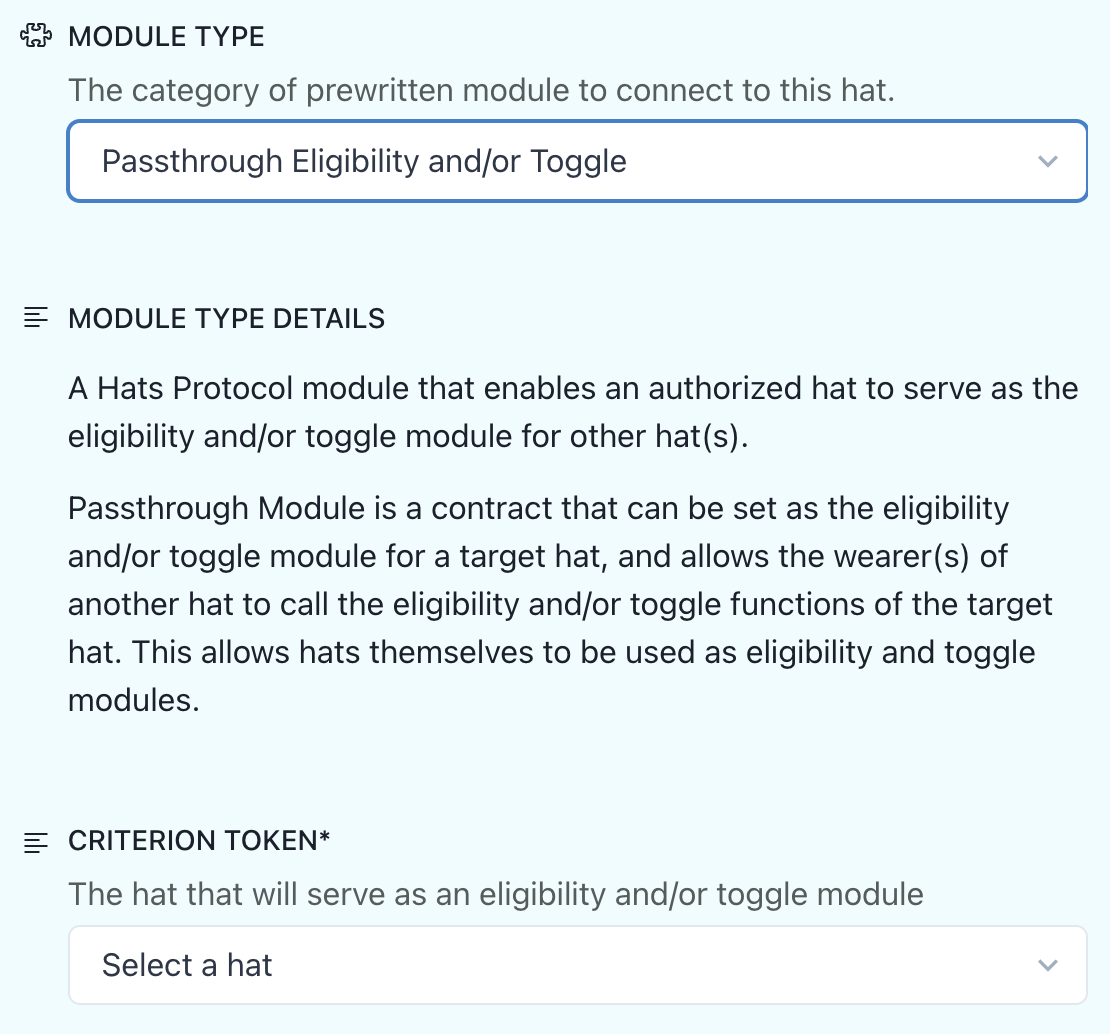
A Hats Protocol module that enables an authorized hat to serve as the eligibility and/or toggle module for other hat(s).
In Hats Protocol v1, eligibility and toggle modules are set as addresses. This creates a lot of flexibility, since addresses can be EOAs, multisigs, DAOs, or even other smart contracts. But hats themselves cannot be set explicitly as eligibility or toggle modules because hats are identified by uint256 hat IDs, not an addresses.
Passthrough Module is a contract that can be set as the eligibility and/or toggle module for a target hat, and allows the wearer(s) of another hat to call the eligibility and/or toggle functions of the target hat. This allows hats themselves to be used as eligibility and toggle modules.
This contract is a "humanistic" module, not a "mechanistic" module. It does not inherit from `IHatsEligibility.sol` or `IHatsToggle.sol`, so Hats Protocol cannot pull any data from it. It serves only as a passthrough, enabling the wearer(s) of the authorized hat to push eligibility and toggle data about the target hat to Hats Protocol.
The module's code is open source and is available [here](https://github.com/Hats-Protocol/passthrough-modules).
## **Using the** Pass-Through **Eligibility Module**
* Go to the tree that includes the hat you wish to create the module for
* Select "Edit Tree"
* Locate and select the hat
* Open the "Deactivation & Reactivation" section
* Choose "Automatically" and then choose "Create new Module". This will open the module creation form
* Choose "Create new Module"
* Choose "Passthrough Eligibility and/or Toggle" in the module type
* Fill in the module-specific parameters
* Choose "Deploy & Return" to deploy the module and return to the hat edit form